Download your full LinkedIn message history in one click and save each conversation as a clean, organized file. Every image, attachment, and document included — a LinkedIn chat backup that actually works.
No account · No cloud uploads · Runs entirely in your browser
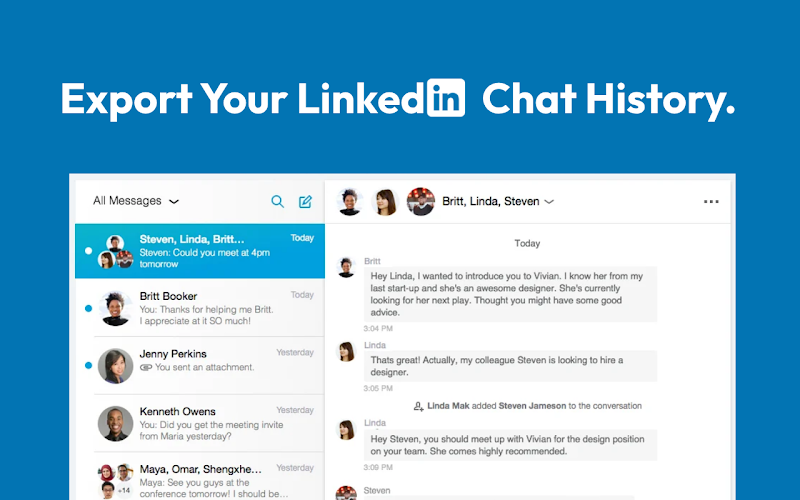
1. Install the free Export LinkedIn Chat with Images and Files Chrome extension.
2. Open any individual or group conversation in LinkedIn messaging.
3. Click Export — the full thread downloads to your device with every image, PDF, document, and video attached.
LinkedIn has no real one-click chat export of its own, so a browser extension is the practical way to export a LinkedIn chat with its media intact.
LinkedIn's built-in data download takes hours — sometimes longer — strips out context, and drops every image and file you've ever shared. You're left with a bare text dump that's missing half the conversation. There's no one-click button to download a LinkedIn chat the way you'd expect.
This extension does what LinkedIn won't. Open any LinkedIn chat, click export, and get everything: the full message thread with timestamps and sender names, plus every piece of media attached — images, PDFs, documents, and videos. Nothing gets left behind.
LinkedIn does let you request a copy of your data, but it's slow and incomplete. Here's the native route:
The catch: LinkedIn's data download is slow, returns a bare CSV, and leaves out every image and attachment. To export a LinkedIn chat with its media in one click, use the extension method above instead.
| Feature | LinkedIn's data download | Export LinkedIn Chat extension |
|---|---|---|
| Speed | Hours to days | One click, instant |
| Images & attachments | Stripped out | All included — images, PDFs, docs, videos |
| Format | Bare CSV, no context | Clean, readable, searchable file |
| Per-conversation export | No — one big archive | Yes — export any chat on its own |
| Group conversations | Limited | Fully supported |
| Where your data goes | Processed by LinkedIn | Stays on your device — no cloud, no servers |
| Price | Free | Free |
Save LinkedIn conversations with candidates — resumes, portfolios, and the full back-and-forth — so a hiring record never disappears from your inbox.
Back up prospect threads before a deal closes. Download LinkedIn messages with every shared file so the deal history lives in your CRM, not just LinkedIn.
Archive investor conversations you can't afford to lose — decks, terms, and intros — in a file you control and can reference any time.
Anyone who treats their LinkedIn inbox as a business tool needs a way to download LinkedIn messages that doesn't depend on LinkedIn's broken export.
No account needed. No cloud uploads. No third-party servers. Your LinkedIn chat export runs entirely in your browser and saves directly to your device. Stop trusting LinkedIn to keep your data safe — export your LinkedIn chat yourself, with full media, in one click.
Install the free Export LinkedIn Chat with Images and Files Chrome extension, open any conversation in LinkedIn messaging, and click Export. The full thread downloads to your device as a clean file with every image and attachment included. LinkedIn has no built-in one-click export, so a browser extension is the practical way to export a LinkedIn chat.
Yes. The extension downloads the complete conversation along with every shared image, PDF, document, and video. LinkedIn's own data download strips out media, so the extension is the way to export LinkedIn messages with attachments intact.
Only through its general data download under Settings & Privacy → Data Privacy → Get a copy of your data. It can take up to 24 hours or longer, returns messages as a bare CSV with no images or files, and loses much of the conversation context. There is no native one-click chat export.
Yes. The extension works with both individual and group conversations, so you can export any DM or group thread in your LinkedIn inbox the same way.
Yes. There is no account, no cloud upload, and no third-party server. The export runs entirely in your browser and saves directly to your device, so your LinkedIn data never leaves your machine.
You get the full message history with timestamps and sender names, all shared images, PDFs, documents, and videos, in a clean, readable format you can search, share, or archive.
Yes. The Export LinkedIn Chat with Images and Files extension is free to install from the Chrome Web Store.
One click. Full media. Done. Download your complete LinkedIn message history before it's gone — free, private, no account required.
Add to Chrome — Free